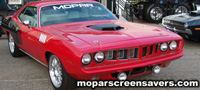

Mopar Screensaver Help
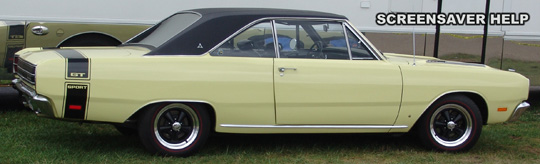
Above: 1969 Dodge Dart GTS, Photo from 2012 Mopar Nats - Columbus Ohio
Collection of information on downloading and using our free mopar screensavers.
How To Download A Mopar Screensaver From Our Site
Click the link for the Mopar screensaver you want to download. Save the .EXE file to your hard drive. Double-click the downloaded file to start the screensaver install process.
How To Install A Mopar Screensaver From Our Site.
All our Mopar screensavers are packaged in an installation program. Follow the instructions on your screen to install.
The installation program performs the following functions:
 Adds a new program group to your Start Menu.
- Adds an uninstall utility within the program group to allow you to easily remove the Mopar screensaver at any time.
- Adds a desktop icon to start the Mopar Screensaver instantly at any time.
- Allows you to customize the screensaver settings by opening your Display Properties and clicking on the Screen Saver tab.
- Allows you to adjust the background color, transition interval, transition speed, and other image properties if available.
- Allows you to choose the Mopar Screensaver as your default Windows screensaver.
Compatibility.
Our Mopar screensavers are compatible with personal computers running Microsoft Windows XP, Vista, Windows 7, Windows 8 and Windows 10. We regret that we don't have screensavers for Mac users at this time.
Having problems installing or using a Screensaver from our site?
Users having problems installing or using a screensaver from Moparscreensavers.com can Click Here to contact us.
Search Mopar Screensavers:
Sponsored Links: